How to Choose Photos for a Celebration of Life

When you sit down to gather pictures of someone you love, the work rarely feels simple. Each photo holds a memory, and that is part of what makes the task both meaningful and tender. Our team has sat beside many Southwest Florida families as they spread photographs across a kitchen table, and we have learned that a little structure makes the whole thing gentler. This guide walks through how to gather, sort, and present the images that will carry someone's story through a celebration of life.
You do not have to do this perfectly, and you do not have to do it alone. The goal is not a flawless production. It is a collection of pictures that helps the people in the room remember the warmth, laughter, and small ordinary moments that made your person who they were.

Start by gathering before you sort
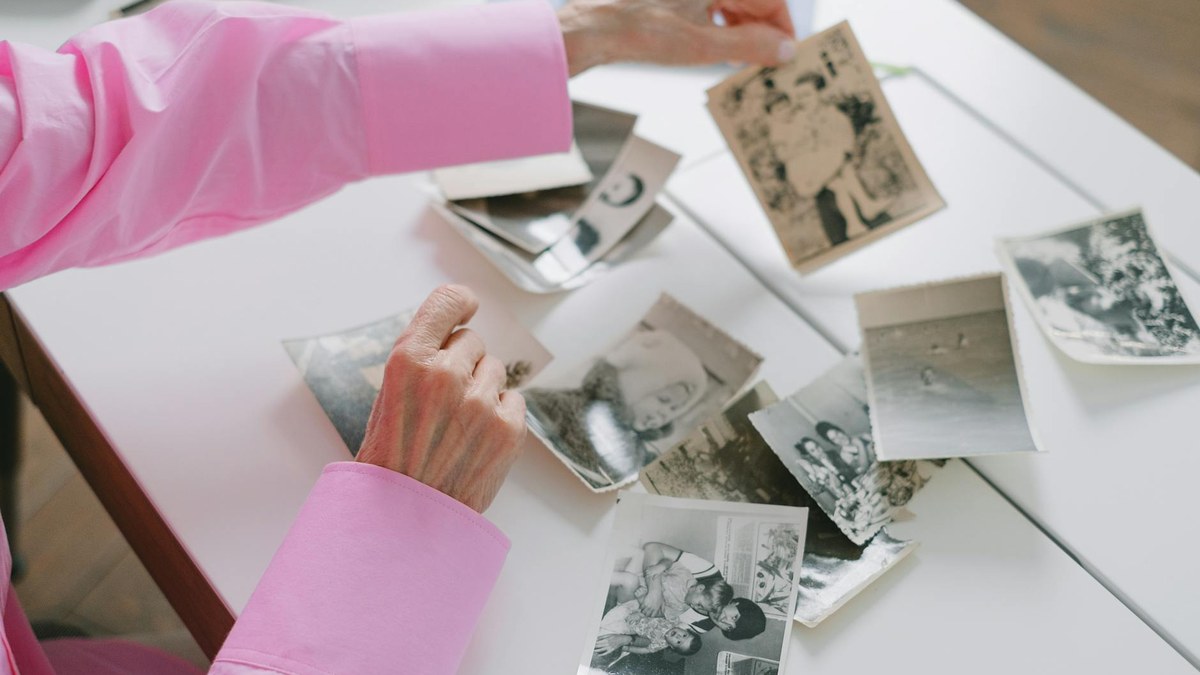
Before you decide what belongs in a slideshow or on a display, give yourself permission to simply collect. Pull photos from albums in the closet, framed pictures off the wall, the phone in your pocket, and any shared albums relatives keep. Ask siblings, grandchildren, old friends, and coworkers to text or email anything they have. People who knew your person in a setting you never saw often hold the pictures that surprise everyone in the best way.
As images come in, drop them into one place. A single folder on a computer, a shared cloud album, or even one large box on the table works fine. Resist the urge to judge each photo as it arrives, because sorting comes later. Right now you are casting a wide net so nothing meaningful gets left out because it was tucked in a drawer no one thought to open.
Tell a life, not just a timeline
One of the most helpful celebration of life photo ideas is to think in chapters rather than in strict chronological order. Childhood, young adulthood, marriage or partnership, raising a family, a long career, a beloved hobby, and the quiet later years all make natural groupings. When you organize by chapter, the people watching see a whole person rather than a slideshow that simply ages from baby to elder.
Look for photos that show character, not just dates. A grandfather laughing with grease on his hands in the garage says more than a stiff studio portrait. A grandmother in her garden, a friend mid-story at a backyard cookout, a parent dancing badly at a wedding. These candid moments are the ones that make a room smile through tears, and they are usually the pictures people remember long after the gathering ends.
Pictures for a slideshow or video tribute
A photo slideshow is one of the most common centerpieces of a celebration of life, and it rewards a little planning. For a gathering, aim for a collection that runs roughly four to seven minutes when set to music, which usually means somewhere between forty and eighty images depending on how long each one stays on screen. Too few feels thin; too many begins to blur together.
Favor higher-resolution images for anything on a large screen, since a small phone photo can look soft when stretched across a projector. Mix in a few group shots so people can spot themselves, and scatter the truly tender close-ups throughout rather than saving them all for the end. If you set the slideshow to music, choose a song your person genuinely loved over anything that simply sounds appropriate.
Memory tables and printed displays
While a screen plays, many families also set up a memory table or photo board near the entrance where guests can linger. This is where physical prints shine. A handful of framed favorites, a poster-sized collage, or a clothesline of small prints with wooden clips invite people to lean in and point at the faces they recognize.
Mix sizes and eras. One large anchor image draws the eye, while smaller prints around it reward a closer look. If your person had a defining passion, build a small vignette around it: a fishing photo beside a favorite lure, a teaching photo next to a worn chalk eraser, a travel picture with a postcard or two. Leave a little blank space and a few extra clips, because guests often arrive with a photo of their own to add, and that spontaneous sharing becomes part of the day.
Building an online memorial gallery
An online memorial lets family who cannot travel to Southwest Florida still take part, and it gives everyone a lasting place to return to. A digital gallery can hold far more images than any slideshow, so this is the home for the wider collection. Many families set up a shared album that invites guests to upload their own pictures, which slowly turns the gallery into a richer record over the weeks that follow.
Add short captions where you can. A name, a place, a year, or a one-line memory helps younger relatives and future generations understand who they are looking at. If you would like help connecting a photo gallery to a service page or memorial listing, you can explore our memorial service information and we will walk you through the options.
Protecting and preparing your originals
Old prints are irreplaceable, so handle them with care. Before anything goes on a board with adhesive or clips, scan or photograph the originals so you always have a digital copy. A flatbed scanner gives the cleanest result, but a steady phone photo in good natural light works in a pinch. Save those files in two places, such as a computer and a cloud account, so a single lost device never erases the collection.
When you frame or mount prints, use removable photo corners or low-tack materials rather than permanent glue or tape, which can stain or tear a treasured original. If a beloved photo is faded, torn, or water-damaged from a Florida storm, a basic scan often captures enough that it can be gently restored later. Keep the originals out of direct sun and humidity while they are on display, and return them to a safe spot afterward.
How a provider can lighten the load
Pulling photos together while you are grieving is a lot to carry, and you do not have to manage every detail yourself. When we help families plan a celebration of life, we can take the folder of images you have gathered and handle the slideshow assembly, printing, framing, and display setup so you can focus on being present with the people around you.
Cost questions are normal, and you are always entitled to clear pricing for any service you are considering. Federal consumer protections, including the FTC Funeral Rule, give you the right to itemized information so you can choose only what fits your family. If you are still weighing the shape of the gathering itself, our overview of funeral and cremation options can help you see how a photo tribute fits within a larger service.
Frequently asked questions
How many photos should I choose for a celebration of life slideshow?
For most gatherings, somewhere between forty and eighty images works well, which typically fills four to seven minutes when set to music. The right number depends on how long each picture stays on screen. It is better to choose fewer strong images than to stretch the collection thin with photos that feel repetitive.
What if many of our old photos are damaged or faded?
That is common, especially with prints stored for decades in Florida's heat and humidity. Start by scanning or photographing the originals so you have a safe digital copy. Even a faded or lightly torn photo often scans well enough to use, and many images can be gently restored afterward. Handle damaged prints as little as possible and keep them out of direct sun while they are on display.
Can we collect pictures from family and friends who live far away?
Yes, and it usually makes the tribute richer. A shared cloud album lets relatives and friends upload images from wherever they are, often surfacing pictures the immediate family has never seen. The same shared gallery can live on afterward as an online memorial, giving everyone who could not travel a way to take part and a lasting place to return to.
Do we need professional help to put a photo tribute together?
Not at all, though support is there if you want it. Many families assemble a slideshow or memory board on their own, while others prefer to hand over the gathered images and let us manage the assembly, printing, and setup. We are glad to do as much or as little as feels right for you.
If you would like a calm hand with gathering, organizing, or displaying photos for someone you love, our team is here whenever you are ready. Call us at (239) 659-2009 or request local guidance, and we will help you take the next small step at your own pace.


Comments